Now first off you can read about some other tools here /teach-me-sensei/
The first I wanted to talk about is Outwrite, I might have mentioned this before, I don’t remember. But outwrite is a AI driven program that works with both Word and Google docs (and probably also with mac programs), there is a free version, and a paid version. I use the paid version because it gives me what I need. https://www.outwrite.com/
Now it can both correct your grammar, spelling errors, and much more.
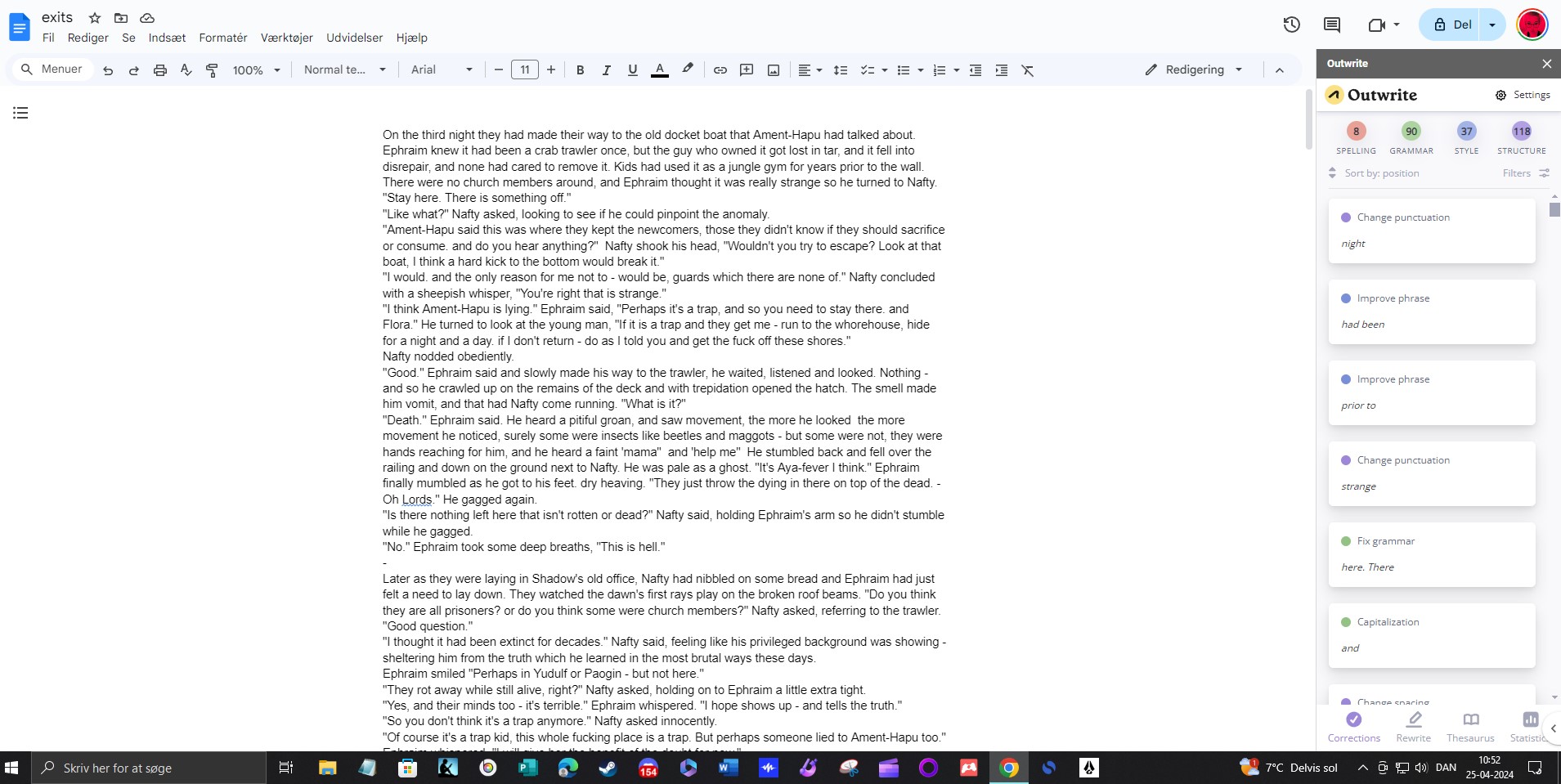
Here you see outwrite as a addon to google docs, and it found a bunch of stuff as you can see – you click the individual suggestion and you can change it, or ignore it.
it does have a word limit and you have to break your story up if it’s long, or it won’t register anything past X wordcount.
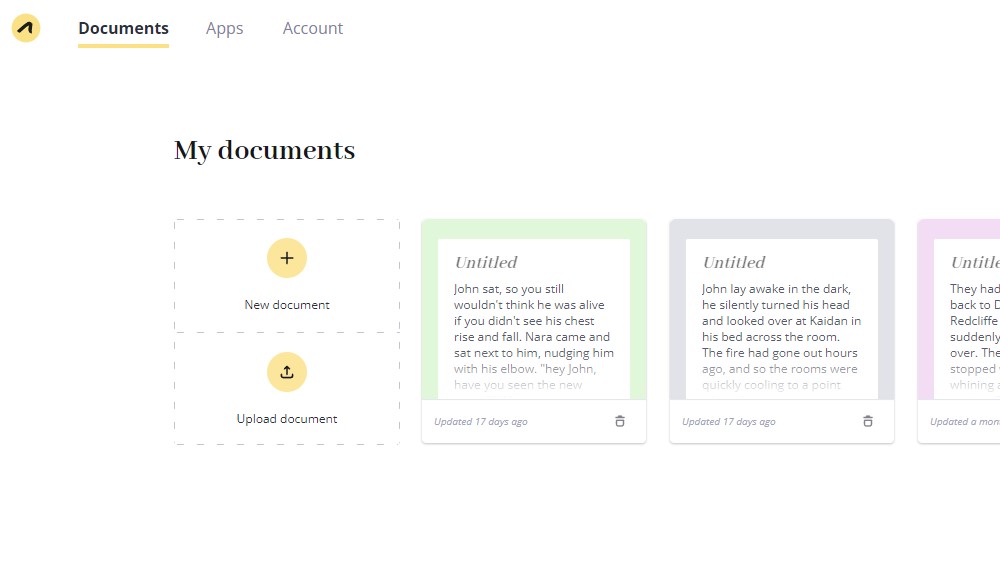
at their webpage you can log in, and upload your document if you want to, that is often better than using the addon, if you are editing for real. because the app often need to be restarted if you work with longer texts, or for a long while. The site does not.
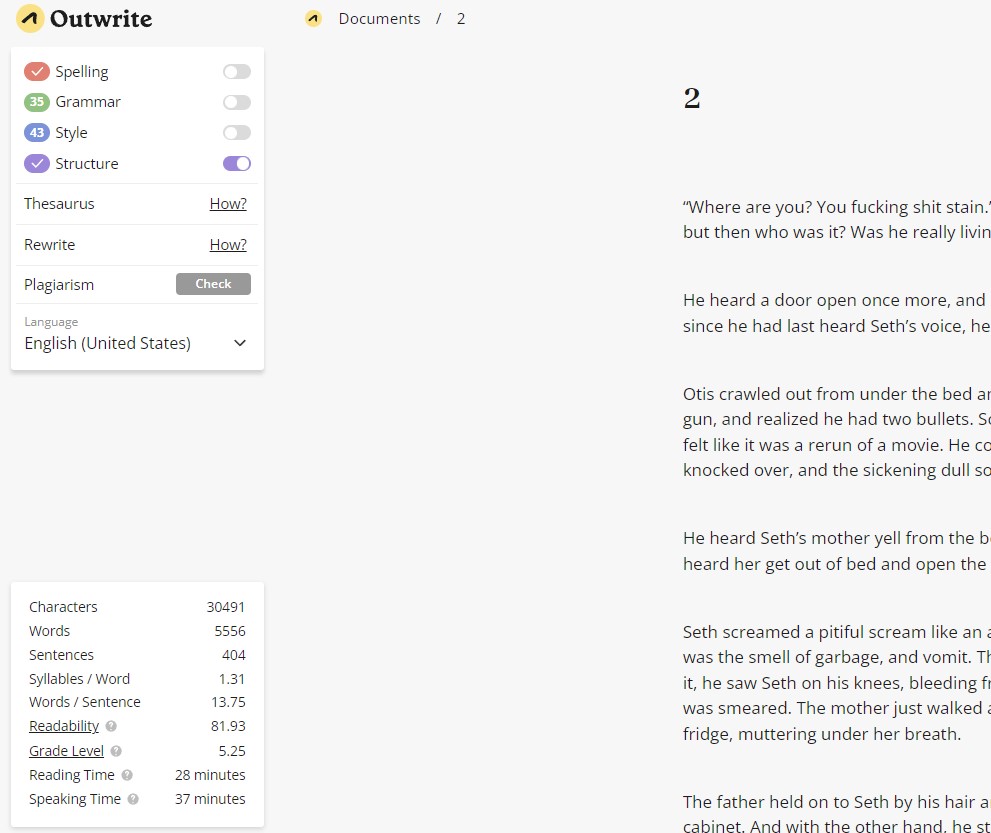
As the app, the page also have these sliders – and you can (like me) run it through with one edit option at a time. And you also have a bunch of other information about your document there bottom left.
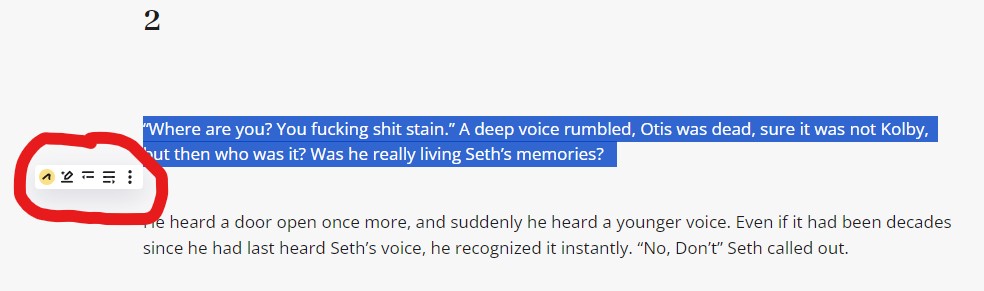
Now besides the all over editing, you can take a sentence – in this case it would only be “Where are you? You fucking shit stain.” because that is a sentence. A trick is to remove the period and add a comma, and it will run the entire thing. It sort of reads from start to period.
What I circled is the other edit option, this is at their site so it’s right there, but if you use the addon, you will see it in the side window. The pen option will give you options of how to structure the sentence differently, the next that looks like two lines will shorten your paragrap, and the last with four lines will fill words in there and make your paragraph longer. And it will suggest you a couple of options and you can click it to use the suggestion, or ignore the suggestions.
This allows me to have a much better, more flowing written language in a language that is not my native one. And with that said, it can handle Danish too, and other languages as well.
—
So basically it’s a extra feature editor like the spellcheck that is already integrated into word and docs.
—
Now Speechify is a program I use on the daily, it has so many different uses for me that I won’t even list them all here. https://speechify.com/
It’s pretty expensive, but for me it’s absolutely fucking worth it. And in my writing process, I get tons out of having my stuff read back to me. I do know that there are free TTS options, but I hate the robot sound, and well if you have office 365 you do get some voices that are less annoying, but I do prefer Speechify.
Also it will read it right from the net, or you can link it up with for instance your google docs, and import from there.
—
And lastly I use Canva, it us a great versatile page – and I use it for many, many things. but in the writing end of things I mostly use it to structure. https://www.canva.com/
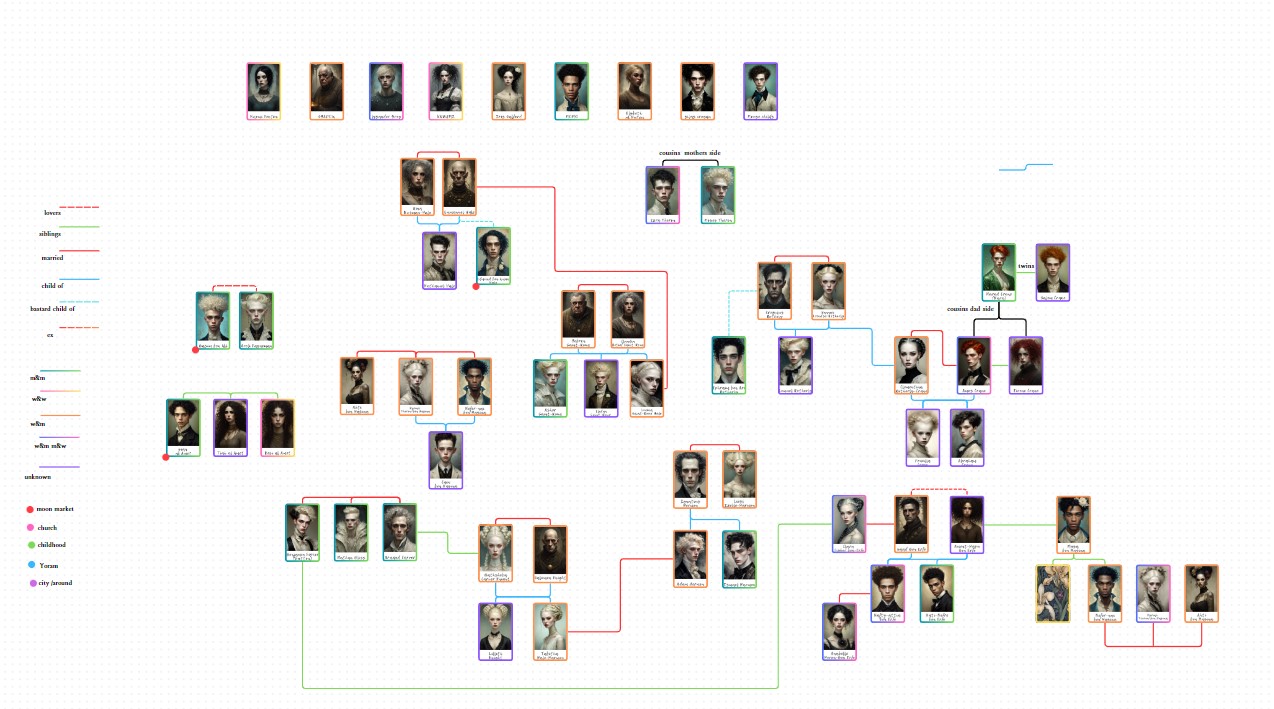
Here I have a connecting characters whiteboard. which I use all the time when I work on larger projects.
As I said I use it for many things – and I can only recommend that you sign up for a free account and see if it’s something you can use too. It is absolutely amazing for PR work I might add.
 DREAMS OF A LOST MOONCHILD
Leave a comment